Command line
The command line is located in the bottom area of screen 1 and screen 2.

Command Line
Set the Cursor in the Command Line
Section titled “Set the Cursor in the Command Line”To enter keywords into the command line set the cursor in the command line first. For more information see Command Syntax and Keywords.
To set the cursor into the command line:
- Tap the command line.
- or-
- Press and hold
 and press Please.

Command line with blinking cursor
The cursor is blinking in the command line.
Open the Pop-Up Commandline Feedback
Section titled “Open the Pop-Up Commandline Feedback”To see command line feedback and history open the pop-up Command Line Feedback.
To open the command line feedback:
- Tap
 on the left of the the command line.
 - Or tap Command Line in Create Basic Window.
For more Information see Create and manage basic window.
The window Command Line Feedback opens.
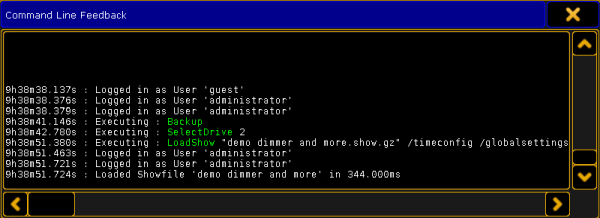
Pop-Up Commandline Feedback
To close the pop-up tap the once again in the command line.
Open the Message Center
Section titled “Open the Message Center”To have an overview of the messages and descriptions of the icons in the command line open the message center. For more information see Message Center.
To open the message center:
- Tap one of the visible icons in the command line.
The message center opens above the command line.
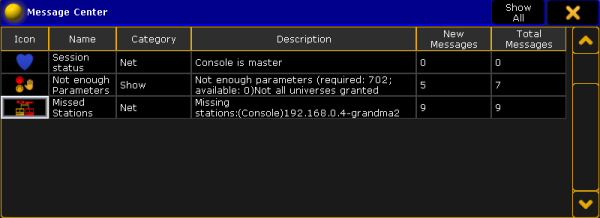
Message Center
To close the message center tap one of the icons in the command line once again.
Open the Virtual Keyboard
Section titled “Open the Virtual Keyboard”To expand the command line by a virtual keyboard:
- Tap
 on the right of the command line.
The virtual keyboard opens above the command line.
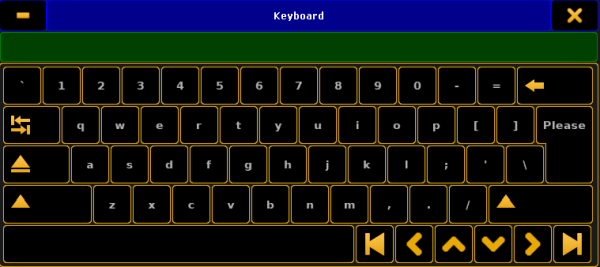
Virtual Keyboard
To close the virtual keyboard tap  in the upper right corner of the window.
Change the Default Keyword
Section titled “Change the Default Keyword”The default keyword is the keyword displayed in square brackets on the left of the command line.
If the default keyword is Fixture and you only enter a number, for example number 1, into the command line, Fixture 1 will be entered into the command line.
You can change the default keyword of the command line to:
- View
- Effect
- Goto
- Page
- Macro
- Preset
- Sequ
- Cue
- Executor
- Channel
- Fixture
- Group
To change the default keyword:
- Press a key with a default keyword on it, for example Fixture.
- Press Please.